
How to Align Core Photos with Televiewer Images
Drag and drop your core tray photographs into Structura to automatically unroll them into continuous downhole strips, align them alongside your televiewer log, and depth-match physical breaks against the borehole wall.
Drill core photographs and borehole televiewer logs capture the exact same rock mass, yet geologists rarely get to view them side by side. While an acoustic (ATV) or optical (OTV) televiewer log records every structure at its true downhole depth, core tray photos reveal intact lithology, infill mineralogy, and mechanical versus natural breaks.
Structura bridges this gap by automatically cropping and stitching core tray photographs into continuous vertical strips and placing them directly beside the televiewer image—allowing you to verify every picked sinusoid against the physical core.
Why is comparing core photos with televiewer logs usually so difficult?
Standard core tray photographs contain four or five rows of core segmented by handwritten wooden depth blocks. Typically, geologists view those image files in a local folder while logging the televiewer survey in a separate software package. Because core loss, shifted driller blocks, and mislabelled trays introduce depth discrepancies of several centimetres to a metre or more, correlating a specific sinusoid on the borehole wall with the corresponding fracture in the tray becomes slow and error-prone.
How does Structura convert core tray photos into continuous strips?
Simply drag a folder or batch of tray photographs directly into the Structura Viewer. Structura automatically extracts the hole ID and depth interval from your existing file naming convention (such as HOLE_12.30_15.60_Wet.jpg) and displays a verification table before importing. If depth intervals are not encoded in the file names, Structura can read the depth labels directly from the tray image and flag any ambiguous text for your review.
Once imported, Structura detects the individual core rows in each tray, crops them out, and stitches them end-to-end into a single vertical strip oriented from top to bottom of the borehole.
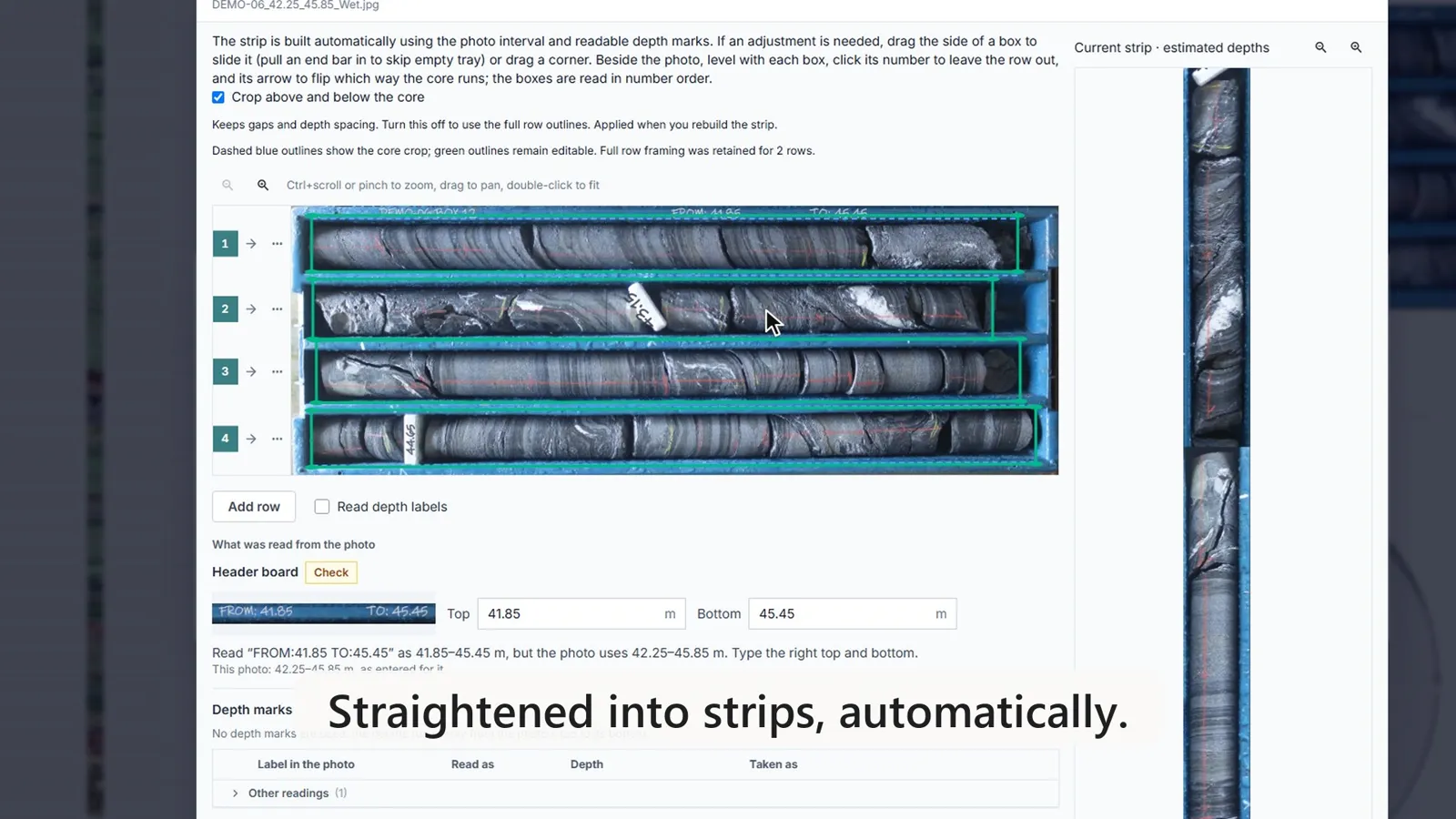
How do core strips interact with the televiewer log?
Click the Core photos button on the image track (or press P) to open the stitched core strip in a dedicated track directly alongside the ATV or OTV image. As you scroll or zoom down the borehole, the core strip and televiewer log move in lockstep, keeping every sinusoidal pick aligned with the physical rock. Click Show trays on the photo track to see the original, uncropped tray photographs for full context, and Show strips to return to the continuous strip.
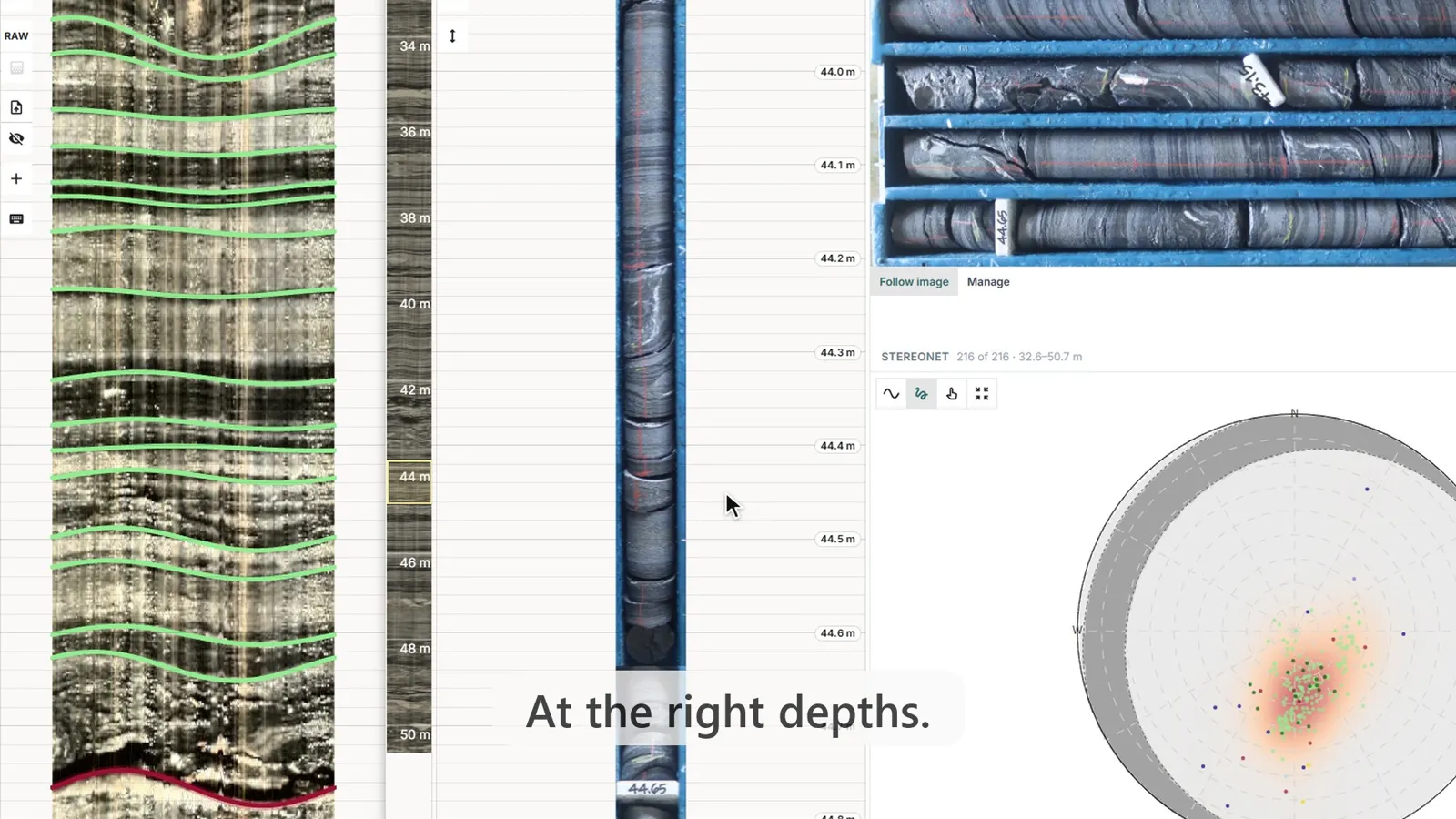
How do you correct core photo depth shifts against the televiewer wall?
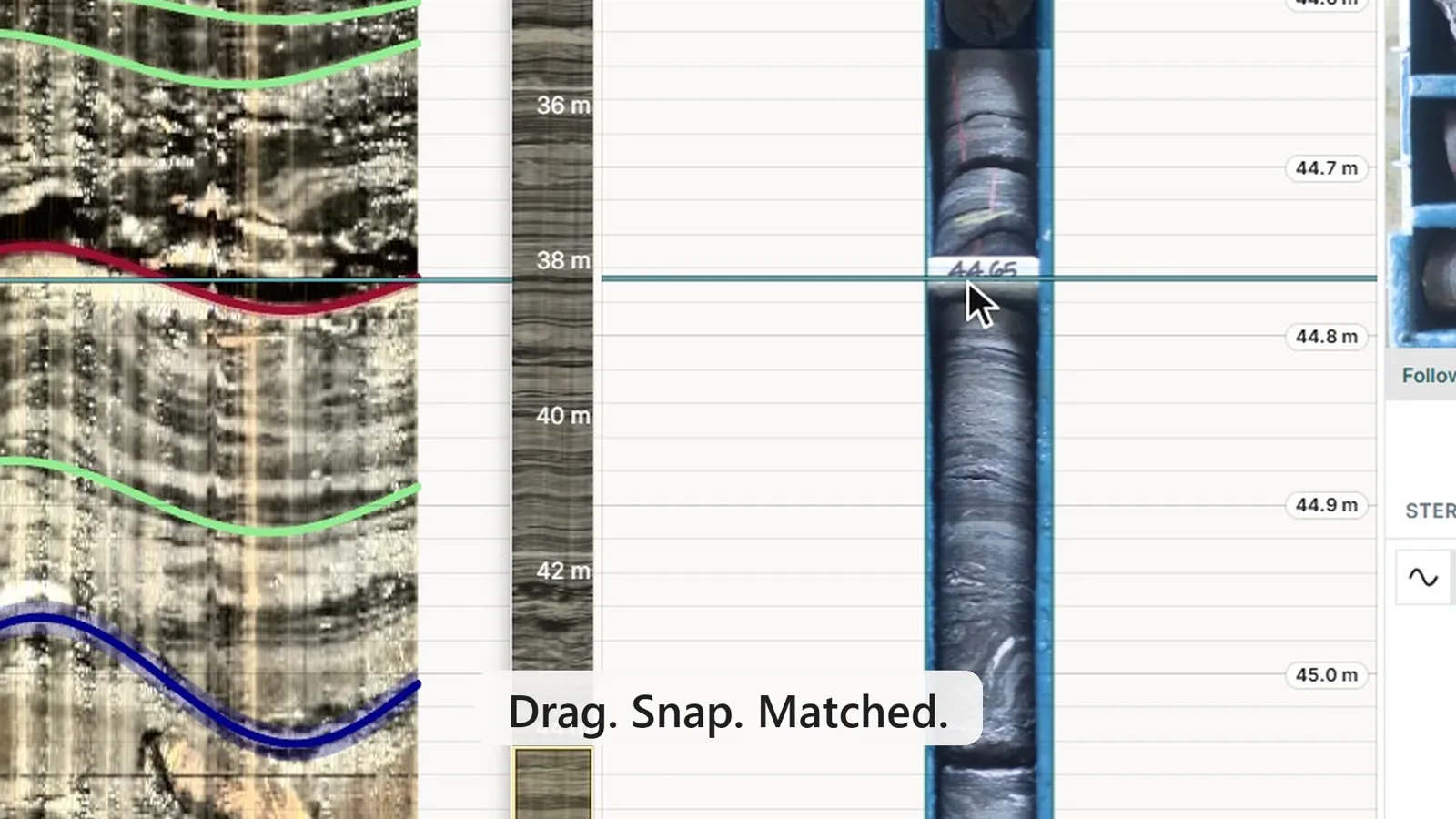
Because the wireline televiewer log provides a continuous true-depth reference, Structura lets you anchor and shift core strips directly against the borehole image in three steps:
- Press M while hovering over the photo track to enter depth-matching mode.
- Alt + click a distinct structural feature on the televiewer image to drop a horizontal reference guide line.
- Drag the corresponding fracture or vein in the core strip onto the guide line until it snaps into place.
To handle complex recovery issues, the Pin tool proportionally stretches or compresses a core strip between two known depth markers (such as run blocks), while the Lost Core tool inserts an explicit gap for unrecovered intervals so underlying core shifts down to its true depth. Structura saves every depth adjustment immediately across the project workspace.
How do geotechnical teams use synchronized core and televiewer logs?
Viewing both records on a unified depth scale transforms QA/QC review. As geologists inspect automated televiewer picks, they can immediately verify whether an apparent open fracture on the log corresponds to a natural break in the core, or identify the mineralogy of a vein trace. Explicit lost-core gaps also prevent recovery errors from cascading down the borehole.
Once depth matching is complete, clicking Export photos… in the photo track’s ⋯ menu packages both the original tray images and the depth-corrected continuous strips into a single ZIP archive. You can standardize output file names using a custom template (incorporating hole ID, corrected depths, tray number, and wet/dry state) and preview the naming list before downloading.
If your site manages core imagery in Seequent Imago, you can also import tray photos directly from Imago without downloading local files. To test this workflow on your own core and televiewer data, contact the Structura team.
Frequently Asked Questions
How does Structura determine the depth interval of each core tray photo?
Structura automatically parses the hole ID, top depth, and bottom depth from your existing image file names, or uses optical character recognition to read the depth labels written on the tray itself—flagging any low-confidence labels for quick human confirmation.
Can I correct core trays that were photographed or labelled at the wrong depth?
Yes. You can drop a reference guide line on any clear structure in the televiewer image and drag the matching feature in the core strip directly onto it. Built-in depth pins and lost-core spacers handle core stretch and missing recovery intervals accurately.
Can I export the straightened, depth-corrected core strips?
Yes. Export photos… packages both the original tray photos and the stitched vertical strips into a ZIP file, automatically renamed according to your custom project template.